
Ratibi Card Salary Check: 4 Ways to Check Your Balance
The fastest Ratibi card salary check is the Magnati prepaid card enquiry page: enter the last four digits of your card, your Card ID and a captcha, and the balance appears on screen. If you prefer an app, an ATM or a phone call, all three work too, and none of them needs a bank account.
Salaries for the previous month are due on the first day of each month, so the 1st is the day to look for the credit. Ratibi also sends a free SMS each time your employer pays you.
Ratibi card salary check quick overview

| Method | What you need | Best for |
|---|---|---|
| Magnati portal | Last 4 digits of the card, Card ID, captcha | A quick check from any phone or laptop browser |
| Payit app | Your Ratibi card and an Emirates ID scan | Regular checks and keeping track of spending |
| FAB ATM | The card and your PIN | Checking the balance while withdrawing cash |
| Ratibi helpline | 600 52 2298 | No internet, or no Card ID to hand |
Check salary on the Magnati portal
Magnati runs the official Ratibi enquiry page at ppc.magnati.com/ppc-inquiry, and it works in any browser without an app or login.
- Open
ppc.magnati.com/ppc-inquiry. - Enter the last 4 digits of the card number.
- Enter your Card ID. This is a separate identifier, not the 16-digit number printed on the card.
- Type the captcha shown on the page.
- Press Go to see the balance.
Your employer is the point of contact between you and the bank, so if you were never given a Card ID, ask HR or payroll for it. A FAB ATM works without it, since it only needs the card and your PIN.
Check salary in the Payit app
Payit is FAB’s mobile wallet, and it shows a Ratibi card balance once the card is linked. Download the app, choose to sign up with your Ratibi card, and scan your Emirates ID to confirm the card is active.
After that, the balance is available inside the app, which suits anyone who checks more than once a month. Ratibi cardholders can also request a salary advance of up to 50% through the app’s Money on Demand feature.
Check salary at an ATM
Any FAB ATM shows a Ratibi balance in three steps, and Ratibi cardholders get free access to FAB’s ATM and cash deposit machine network around the clock.
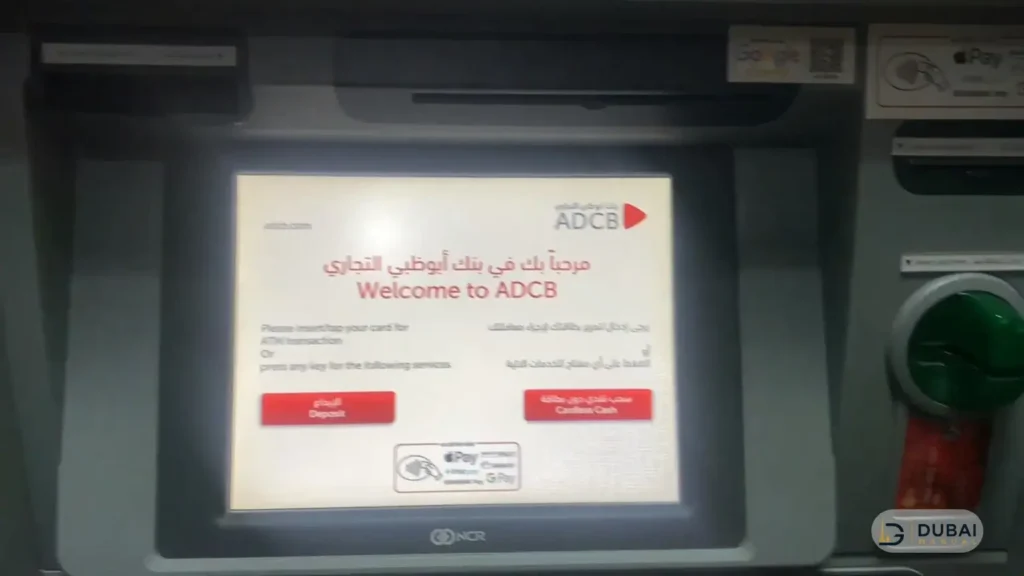
- Insert the card and enter your 4-digit PIN.
- Choose Balance Inquiry.
- Read the amount on screen.
New cardholders set their own PIN at a FAB ATM. If a machine keeps the card, it is destroyed by the receiving bank, and your employer has to apply for the replacement.
Check salary by phone
The Ratibi helpline is 600 52 2298 from inside the UAE and +971 2 499 6279 from abroad, with a 24/7 call centre behind it. Use it when you have no internet or no Card ID, or when you need help with the card itself.
FAB’s general customer line, 600 52 5500, is a different number. For anything about a Ratibi card, the dedicated line above is the one to dial.
Salary credit SMS alerts
Ratibi sends a free SMS on every salary credit, so the message usually reaches you before you check anything yourself. There is no text command that returns a balance on demand, and texting a shortcode will not give you one.
When your salary does not show
Start by checking the portal or an ATM again. If the balance has not moved, work through these in order:
- Ask payroll whether the salary file went through. Ratibi is WPS compliant, and employers pay it through the Wages Protection System or an approved non-WPS electronic channel.
- Remember the deadline. Salaries for the previous month are due on the first day of each month, and from the 2nd day the ministry starts sending alerts to employers who have not paid.
- If payroll cannot explain the delay, submit a complaint through the MOHRE salary complaint service. It is free, and your employer does not see who filed it.
- Call the MOHRE call centre on 600590000 if you would rather talk to someone.
Ratibi limits & eligibility
Ratibi is a prepaid salary card for employees who earn up to AED 5,000 a month, and it works without a personal bank account. The card has no minimum balance and no monthly charges for cardholders.
To get one, you need to be a UAE resident with complete and current KYC details, and your employer must hold a corporate account with FAB. The employer applies for the card on your behalf and loads your salary onto it.
FAQ
How do I check my Ratibi balance without the Card ID?
A FAB ATM only needs the card and your PIN. You can also call 600 52 2298 for help, or ask your employer for the Card ID so the portal works.
Does Ratibi have an SMS balance check?
No. The only text message Ratibi sends is the free alert when your salary is credited.
Is checking a Ratibi balance free at FAB ATMs?
Yes. FAB’s ATM and cash deposit machine network is free for Ratibi cardholders to use, around the clock.
What if an ATM keeps my Ratibi card?
The receiving bank destroys the card. Tell your employer straight away, because the employer is the one who applies to FAB for a replacement.
Next steps
- Check the portal or the Payit app on the 1st of the month, when the previous month’s salary is due.
- Keep your Card ID saved somewhere safe so the portal check takes under a minute.
- If the credit is missing by the 2nd, ask payroll first, then use the MOHRE complaint service.



One Comment
Comments are closed.