FAB Salary Check: Fastest Ways to View Your Balance
The fastest FAB salary check depends on where your salary is paid. A Ratibi payroll card is checked on FAB’s prepaid card enquiry portal or in the Payit app, and a FAB salary account is checked in the FAB Mobile app. A FAB ATM and the call centre work for both.
Ratibi cards also send a free SMS every time an employer credits a salary, so the new balance is often waiting in your messages before you open anything.
FAB salary check quick details
| Method | Works for | What you need | Best when |
|---|---|---|---|
| Prepaid card enquiry portal | Ratibi cards | Last 4 digits of the card and the Card ID | You have a browser and the card in hand |
| Payit app | Ratibi cards | Card linked to the Payit app | You check often and want it on your phone |
| FAB Mobile app | Salary accounts | FAB Mobile registration | You want the balance without a card |
| Online banking | Salary accounts | Personal online banking login | You are on a laptop |
| FAB ATM | Ratibi cards and salary accounts | Card and PIN | You have no data connection |
| SMS banking | Salary accounts | Mobile number registered with FAB | You have signal but no data |
| Phone banking | Ratibi cards and salary accounts | 600 52 5500, or 600 52 2298 for Ratibi | A login or card problem blocks the other methods |
Ratibi card or salary account?
A Ratibi card is a prepaid payroll card for employees who earn up to AED 5,000 a month and have no bank account. The employer holds a corporate account with FAB, applies for the card and pays salary onto it through the Wages Protection System (WPS).
The card works at ATMs, in stores and online on the Visa and Mastercard networks worldwide, and cardholders face no minimum balance requirement or monthly charges.
If you were handed a card and never opened an account, use the Ratibi methods below. If your salary goes into a FAB account with its own debit card and customer number, use the salary account methods.
Salary day on a Ratibi card
A Ratibi salary reaches the card the same way every month, and each stage gives you a point to check.
- The employer processes payroll through WPS and sends the salary to the card.
- The credit lands on the card immediately.
- FAB sends a free SMS alert for the credit.
- The balance then shows on the enquiry portal, in Payit and at any FAB ATM.
If the SMS has not arrived, the portal or Payit gives a faster answer than waiting for it.
Check a Ratibi balance on the enquiry portal
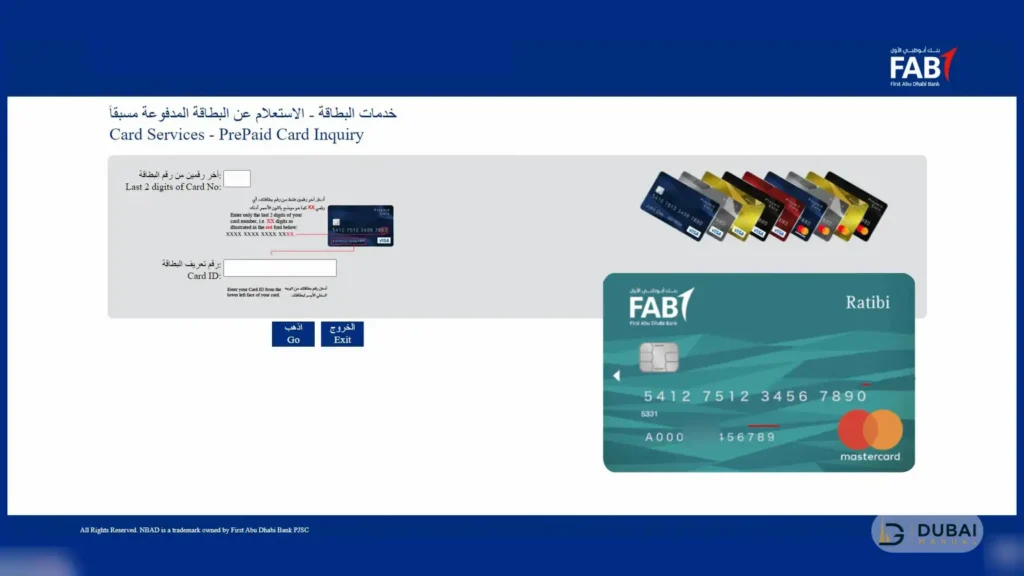
The enquiry portal needs only the last 4 digits of the card and the Card ID. There is no login and no app to install.
- Open FAB’s Ratibi Prepaid Card Balance Enquiry portal in any phone or desktop browser. It loads on a Magnati page with FAB branding.
- Type the last 4 digits of the card number. The full 16-digit number is never asked for.
- Type the Card ID, which is a separate number from the card number.
- Enter the captcha code shown on the page.
- Tap Go to see the available balance.
Every label on the page appears in English and Arabic.
Check a Ratibi balance in the Payit app
Payit, FAB’s digital wallet, shows a Ratibi balance once the card is linked to the app. The link is made when a new card is activated, and after that the balance is one app-open away.
FAB Mobile registers customer numbers and debit or credit cards, so a Ratibi card is checked through Payit or the portal instead.
Check a salary account in the FAB Mobile app
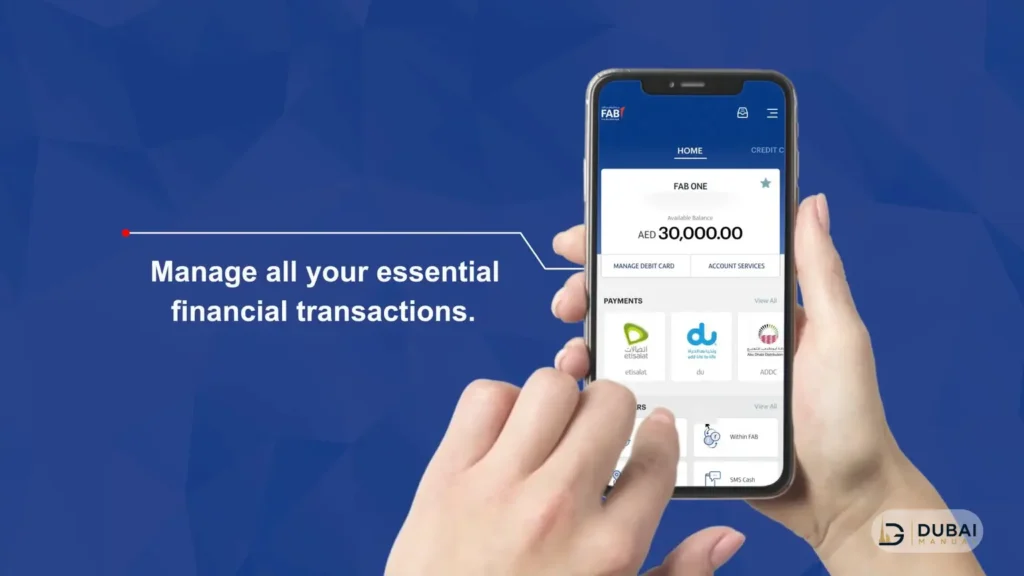
FAB Mobile shows account balances right after login, which makes it the quickest route for salary account holders.
- Download FAB Mobile from the Apple App Store, Google Play or Huawei AppGallery.
- Register with your customer number or your debit or credit card number.
- Confirm your identity with your Emirates ID and a video selfie when the app asks.
- Log in and open your account to see the balance.
The app is free to download and most services cost nothing. It works on up to three devices, and it also works outside the UAE over Wi-Fi or roaming data. If the app locks after wrong PIN attempts, tap Forgot PIN on the login screen to regain access.
Once the salary is in, real-time alerts announce each transaction. The transaction history shows merchant logos and sorts spending into 23 categories, which makes it easy to trace where a salary went after payday.
Check a salary account on online banking
Sign in to FAB personal online banking from a laptop or desktop browser for a full view of your account balance.
Online banking transactions are approved inside FAB Mobile, so it helps to set up the app first even if the laptop is your main routine.
Check a balance at a FAB ATM
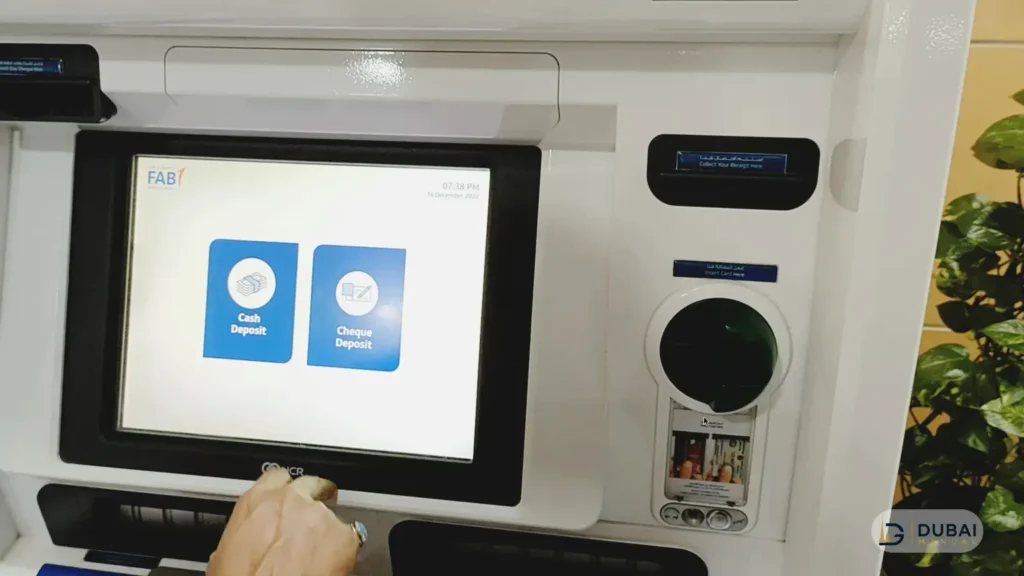
A FAB ATM shows the balance of a Ratibi card or a salary account debit card in four steps.
- Insert the card.
- Enter your PIN.
- Choose the balance enquiry option.
- Read the balance on screen or print a receipt.
Balance enquiries at FAB ATMs are free. Ratibi cardholders can also choose their own PIN at a FAB ATM.
Use the branch and ATM locator to find the nearest machine. If any ATM keeps a Ratibi card, the bank that receives it destroys the card and the employer applies for a replacement.
SMS & phone banking
- SMS banking (salary accounts): send BAL followed by the last 4 digits of the account number to 2121 from the mobile number registered with FAB. The reply carries the balance.
- Phone banking: call 600 52 5500 inside the UAE or +971 2 681 1511 from abroad. Ratibi cardholders call the dedicated Ratibi line on 600 52 2298 inside the UAE or +971 2 499 6279 from abroad. Ratibi support runs 24/7.
Ratibi cards have no send-an-SMS balance check. They send an automatic free alert whenever a salary is credited, and that alert is the SMS to wait for on payday.
Common problems with a FAB salary check
- The portal rejects the details: enter only the last 4 digits of the card and the separate Card ID, not the full card number.
- The SMS gets no reply: the mobile number is probably not registered. In FAB Mobile, open Edit Profile and then Personal Details to update it.
- The app will not log in: update the app and try again. A persistent system maintenance error is a reason to call 600 52 5500.
- The Card ID is missing: the employer is the cardholder’s point of contact with the bank, so ask the employer first. The Ratibi line on 600 52 2298 is the second route.
- The salary has not arrived on a Ratibi card: payroll goes out through WPS from the employer’s side, so confirm with the employer that the payment was released. If it was and the balance is unchanged, call 600 52 2298.
FAQ
What is the fastest way to check a FAB salary balance?
For a salary account, the FAB Mobile app shows the balance right after login. For a Ratibi card, the prepaid card enquiry portal needs only the last 4 digits of the card and the Card ID.
Can I check a Ratibi balance without internet?
Yes. A FAB ATM shows the balance with the card and PIN, and the Ratibi line on 600 52 2298 answers by phone. SMS is not an option for Ratibi balances, because the card sends only automatic salary-credit alerts.
Is a balance check at a FAB ATM free?
Yes, balance enquiries at FAB ATMs are free. Other banks’ ATMs can charge a fee per enquiry.
Do I need a bank account to get a Ratibi card?
No. Ratibi is a payroll card for employees who earn up to AED 5,000 a month, and it works without a bank account. The employer must hold a corporate account with FAB.
Can I check my salary from outside the UAE?
Yes. FAB Mobile works abroad over Wi-Fi or roaming data, and the Ratibi helpline is +971 2 499 6279 from outside the UAE.
Does Ratibi send an alert when the salary is paid?
Yes. Every salary credit triggers a free SMS alert, and the credit itself is immediate once the employer’s payroll is processed.
Next steps
- Work out which one you hold: a Ratibi payroll card or a FAB salary account.
- For a Ratibi card, link it to Payit and keep the last 4 digits and Card ID to hand for the enquiry portal.
- For a salary account, register FAB Mobile before payday and confirm the mobile number on file.
- Save 600 52 5500, or 600 52 2298 for Ratibi, so a blocked login never leaves you without a balance.