Prepaid Card Inquiry: UAE Salary & Prepaid Card Balance
A prepaid card inquiry works only when you use the channel built for your card. A Magnati-processed salary card, a FAB-linked prepaid card, a Lulu salary card, and a RAKBank prepaid card all check their balance in different places, and entering your details into the wrong portal returns nothing. The rule is simple: identify the card first, then use its channel. The sections below give you every working method, matched to the card it serves.
Prepaid card inquiry quick overview
| Method | Works for | What you need | Cost |
|---|---|---|---|
| Magnati portal | Magnati-processed prepaid and salary cards, including Ratibi | Last 4 digits of the card, Card ID, captcha | Free |
| Payit app | FAB Ratibi cardholders | Registered mobile number, linked card | Free |
| FAB Mobile | FAB account-linked prepaid cards | FAB login | Free |
| LuLu Money app | Lulu salary cards and MyPay cards | Registered mobile number | Free |
| ATM | Every UAE prepaid card | Card, 4-digit PIN | Free at FAB ATMs, a small fee may apply at other banks’ ATMs |
| Phone | Every card, on its own helpline | Card details, Emirates ID | Standard call charges may apply |
| SMS | Lulu cards only | BAL plus card number, to 51199 | Standard SMS rate |
Which card are you holding
The name on the card decides the method. A FAB Ratibi card is a payroll prepaid card for employees earning up to AED 5,000 a month without a personal bank account, paid under the UAE Wage Protection System (WPS). Ratibi cards and other Magnati-processed prepaid cards share the same balance system, so they use the same portal.
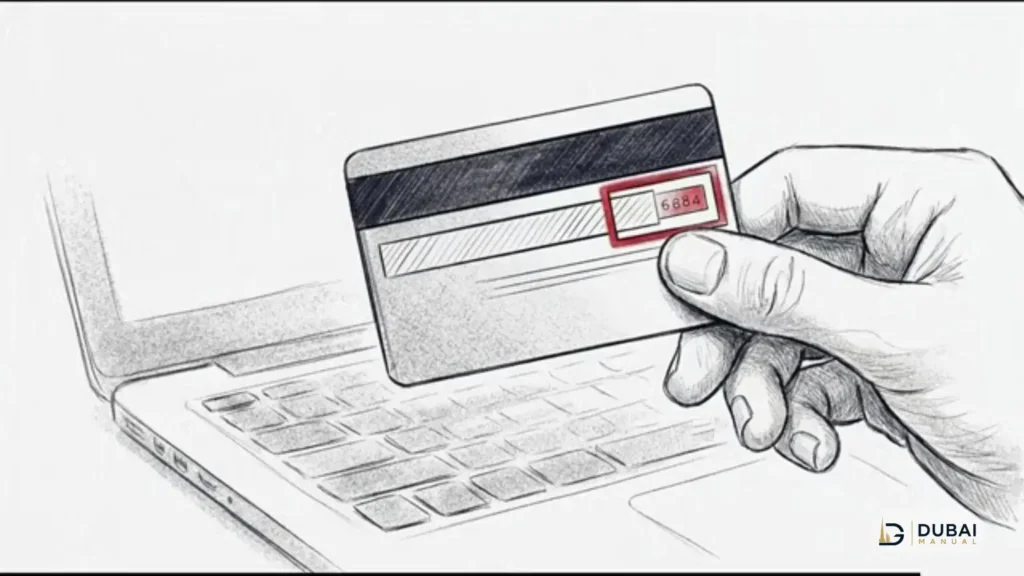
A FAB account-linked prepaid card belongs to someone who already banks with FAB, and it shows up inside FAB Mobile like any other FAB card. A Lulu salary card, including the MyPay card issued by FAB for Lulu Exchange payroll customers, runs on Lulu’s system and is managed in the LuLu Money app. A RAKBank prepaid card uses RAKBank’s own prepaid login, not the Magnati portal. If you are unsure which family your card belongs to, the issuer name printed on the card settles it: FAB and Magnati cards go one way, Lulu cards another.
Check on the Magnati prepaid card enquiry portal
The portal is the fastest free check for Magnati-processed cards, and it needs no login or registration.
- Open the Magnati prepaid card enquiry portal in any browser.
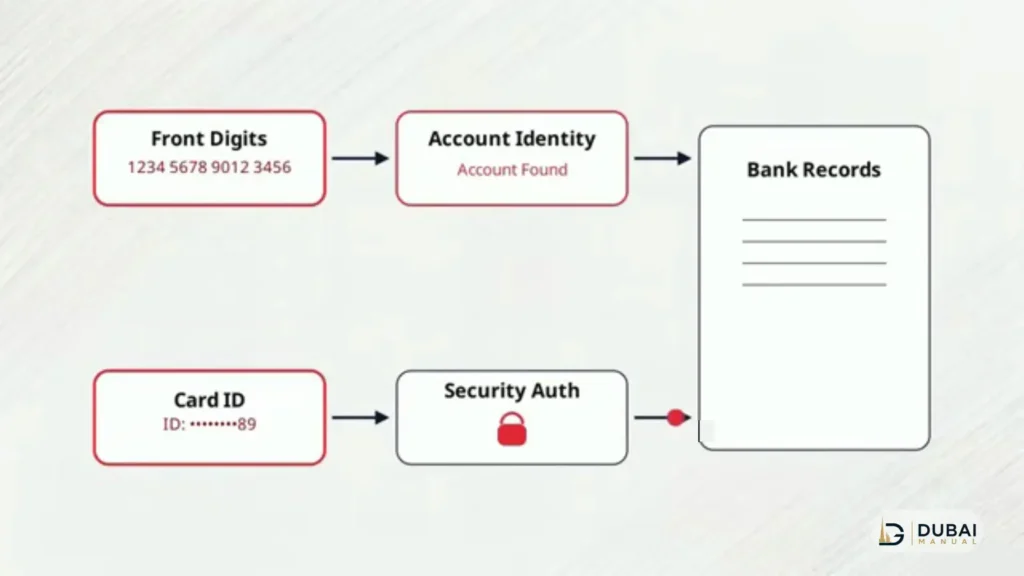
- Enter the last 4 digits of your card number.
- Enter the Card ID printed on the back of the card.
- Complete the captcha check.
- Submit the form to see your balance and recent transactions.
The Card ID is the detail most first attempts get wrong. It is a separate identifier printed on the back of the card, not the 16-digit card number on the front. If the portal rejects your details, check that you entered the Card ID from the back, not the long number from the front, and retype the captcha exactly as shown. The portal shows your available balance plus recent transactions, and the check itself costs nothing.
Check in an app
Apps suit cardholders who check often, since the balance sits on the home screen after one login.
Payit for Ratibi cards
Payit is FAB’s digital wallet and the right app for Ratibi cardholders, especially when FAB Mobile does not show the card. Register with your FAB-linked mobile number, link the Ratibi card, and the balance appears in the wallet. Salary-credit alerts also arrive through Payit, so a missing salary shows up here first.
FAB Mobile for FAB-linked cards
FAB Mobile covers prepaid cards linked to a FAB account. Sign in, open the cards section, and select the prepaid card to see its balance and transaction history. Ratibi cardholders whose card does not appear in FAB Mobile should use Payit or the Magnati portal instead, since Ratibi balances live on the Magnati system rather than in FAB’s account view.
LuLu Money app for Lulu & MyPay cards
Lulu salary cards and MyPay cards are managed in the LuLu Money app. Sign in with your registered mobile number, open the cards section, and select the salary card to see the balance and recent transactions. If the card does not appear, the mobile number registered with Lulu Exchange probably differs from the number used for the app, and updating it at a branch fixes the mismatch. The same app handles remittances and card controls, so a blocked or lost card can be dealt with from the same place.
Check at an ATM
Any UAE ATM reads a prepaid card balance, which makes this the reliable option without internet or a smartphone.
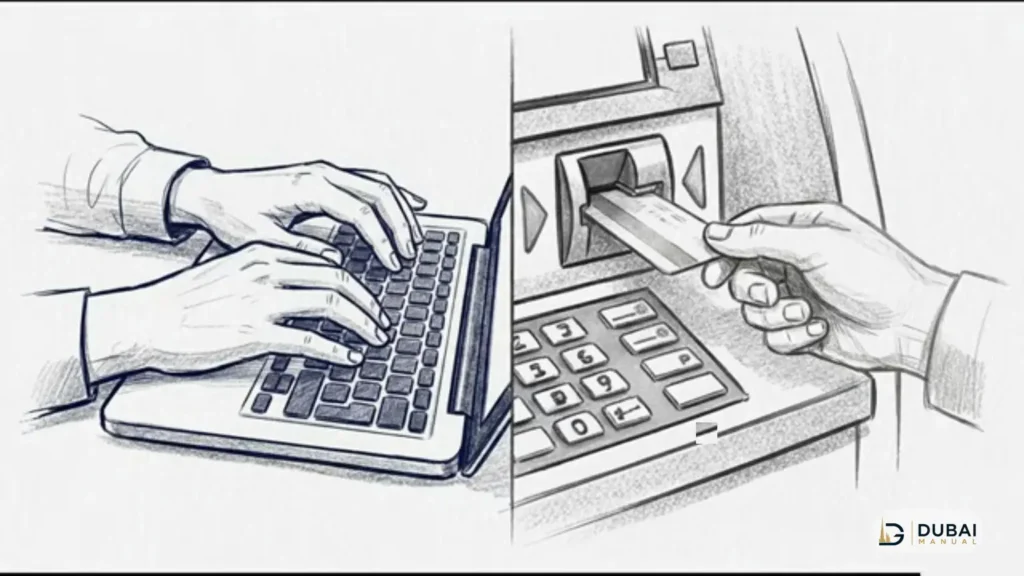
- Insert your card into the ATM.
- Enter your 4-digit PIN.
- Select Balance Enquiry from the menu.
- Choose to view the balance on screen or print a mini statement.
FAB ATMs show the balance free. Another bank’s ATM may add a small enquiry fee, so a FAB machine is the cheaper choice when one is nearby. The printed mini statement is worth taking when you need proof of the balance, for example after a salary credit that has not yet appeared in an app.
Check by phone
A phone call is the fallback when the portal, app, and ATM are all out of reach, and it also resolves problems the self-service channels cannot.
- Ratibi and prepaid cardholders call 600 52 2298 inside the UAE, or +971 2 499 6279 from abroad.
- General FAB service answers on 600 52 5500 inside the UAE, or +971 2 681 1511 from abroad.
- Magnati prepaid support answers on 800 624 6284.
Keep the card and your Emirates ID ready before calling, since the agent verifies both before reading out a balance. If the salary has not arrived, the agent can see whether the employer has sent the payment at all, which settles the most common dispute in one call.
SMS alerts & balance checks
A text message does not return a prepaid card balance. The SMS messages FAB sends on a Ratibi card are salary-credit alerts: they tell you money has landed, but they do not answer a balance question, and no SMS keyword returns a live prepaid balance. Texting a code you found in a guide will not produce a balance reply for a Magnati-processed card.
Lulu cards are the exception. A Lulu salary cardholder texts BAL, a space, and the full card number to 51199 from the registered mobile number, and the reply carries the current balance. The standard SMS rate applies. Every other card family in this article uses the portal, app, ATM, or phone routes above, and a code that claims otherwise belongs to a different product.
When the balance does not show
A blank or stale balance usually has one of four causes.
- Salary not processed yet. Employers pay on their own schedule, and a payment sent late in the day may not appear until the next processing cycle. Ask your employer for the exact pay date before assuming a card problem.
- Mobile number changed. Apps and SMS routes depend on the number registered with the issuer. A new SIM breaks both, while the portal and ATM keep working because they check card details, not the phone.
- Card missing from the app. A card that does not appear in FAB Mobile or the LuLu Money app is usually registered under a different mobile number. Use the portal or ATM for the balance, then update the number with the issuer.
- Wrong identifier on the portal. The Magnati portal wants the Card ID from the back of the card plus the last 4 digits, not the full 16-digit number. Entering the front number in the Card ID field is the most common reason for a rejected inquiry.
If none of these apply and the card still shows no balance, call the helpline for your card family with the card and Emirates ID ready. A blocked, expired, or replaced card explains the rest, and only the issuer can confirm it.
FAQ
Can I check my prepaid card balance without internet?
Yes. Insert the card into any UAE ATM and select Balance Enquiry, or call the helpline for your card family. Both work without a data connection, and the ATM route also gives a printed mini statement.
What is the Card ID on a prepaid card?
The Card ID is an identifier printed on the back of the card, separate from the 16-digit card number on the front. The Magnati portal asks for it together with the last 4 digits of the card number and a captcha check before it returns a balance.
Can I check a Ratibi balance by SMS?
No SMS keyword returns a live Ratibi or prepaid card balance. The SMS messages on a Ratibi card are salary-credit alerts, not balance replies. Use the Magnati portal, Payit, an ATM, or the Ratibi helpline on 600 52 2298.
Why is my salary not showing on the card?
The employer usually has not processed the payment yet, or the payment date differs from the date you expected. Confirm the exact pay date with your employer first. If the employer confirms payment and the portal still shows nothing, call the card helpline with the card and Emirates ID ready.
Can I use the Magnati portal for a Lulu card?
No. Lulu salary cards and MyPay cards run on Lulu’s system, not Magnati’s, so the portal will not recognise them. Use the LuLu Money app, an ATM, or text BAL plus the card number to 51199.
Is there a fee for checking a prepaid card balance?
Portal and app checks are free. FAB ATMs show the balance free, while another bank’s ATM may add a small enquiry fee. Phone calls carry standard call charges, and the Lulu SMS route carries the standard SMS rate.
What to do next
- Read the issuer name on your card and match it to its channel in the table above.
- For a Magnati-processed card, run the portal check with the last 4 digits and the Card ID from the back of the card.
- For a Lulu or MyPay card, open the LuLu Money app or text BAL plus the card number to 51199.
- If the salary has not arrived, confirm the pay date with your employer before contacting the issuer.
- Keep the registered mobile number current with the issuer, since apps and SMS routes stop working the moment it changes.