NBAD Balance Inquiry: How to Check FAB & Ratibi Balances
NBAD no longer runs balance channels of its own. National Bank of Abu Dhabi merged with First Gulf Bank in 2017 to form First Abu Dhabi Bank (FAB), so an old NBAD debit card, account or Ratibi salary card is checked through FAB, and the card itself keeps working as before.
The right method depends on what you hold. A regular account or debit card works with the FAB Mobile app, online banking, ATMs and SMS. A Ratibi payroll card, issued by employers to staff earning up to AED 5,000 a month who have no bank account, is checked on the Magnati prepaid card portal instead, and it has no SMS balance service.
NBAD balance inquiry quick overview
| Card type | Method | What you need |
|---|---|---|
| Regular account or debit card | FAB Mobile app | PIN or biometric login |
| Regular account or debit card | SMS to 2121 | BAL + last 4 digits of the account number, sent from your registered mobile |
| Credit card | SMS | CBAL + last 4 digits of the card number |
| Any FAB card | ATM | Card and PIN |
| Ratibi card | Magnati prepaid card portal | Last 4 digits of the card, Card ID, captcha |
| Ratibi card | Ratibi helpline, 600 52 2298 | Card details for verification |
Check a Ratibi card balance
The fastest way to check a Ratibi balance is the Magnati prepaid card portal at ppc.magnati.com/ppc-inquiry, which works in any browser and needs no login.
Portal steps
- Open ppc.magnati.com/ppc-inquiry.
- Enter the last four digits of your card number.
- Enter your Card ID.
- Type the captcha and submit to see your available balance and recent activity.
The portal asks for only those three items. A page that asks for the full card number or the CVV is not the portal, so close it.
Other ways to check a Ratibi card
Calling the Ratibi helpline on 600 52 2298 (from outside the UAE, +971 2 499 6279) reaches a 24/7 call centre. A FAB ATM also shows the balance once you enter your PIN, and Ratibi cardholders get free access to FAB’s ATM and CDM network. Cardholders choose their own PIN at a FAB ATM.
If the card does not appear in FAB Mobile, the Payit app is the one to use for it.
There is no SMS command for a live Ratibi balance. The only text message the card sends is the free alert on every salary credit, which tells you the day the money lands.
Ratibi has no minimum balance requirement and no monthly charge, so a low balance never triggers a fee on the card itself.
FAB Mobile & online banking
FAB Mobile shows every linked account and card balance on its home screen once you log in. It is available on the Apple App Store, Google Play and Huawei AppGallery.
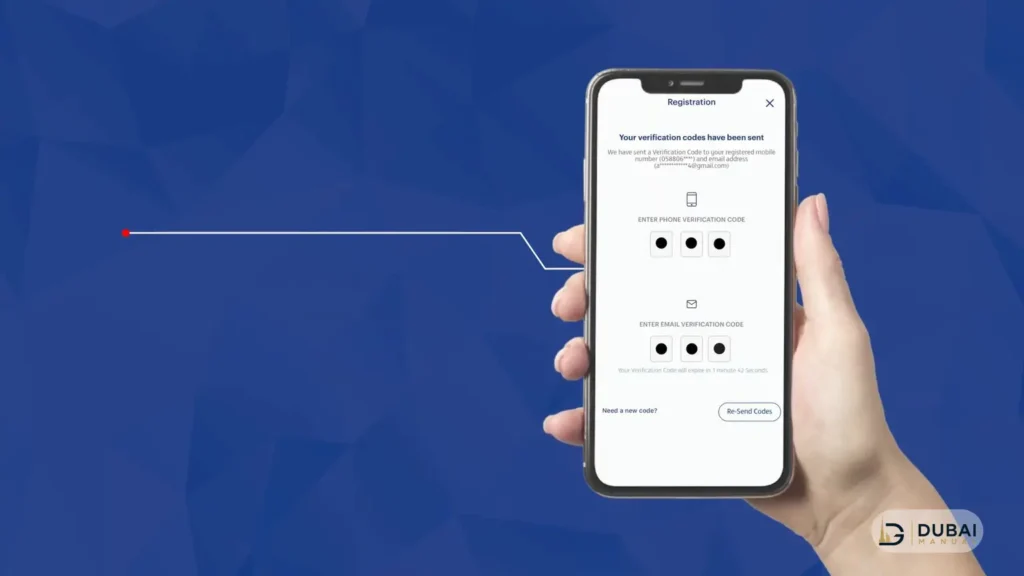
To register:
- Download FAB Mobile and open it.
- Enter your customer number, debit card number or credit card number.
- Verify your identity with your Emirates ID and a video selfie.
- Set up your PIN, then use it or your biometric login from then on.
Online banking gives the same balance view on a desktop. Log in to FAB Personal Online Banking and the account dashboard shows your balances. Online banking transactions are approved inside FAB Mobile, so register the app first even if you mostly use a laptop.
Both channels are for regular accounts and cards. If you receive your salary on a Ratibi card and have no FAB account, skip to the portal above.
SMS banking for regular accounts
SMS gives a balance in seconds without data or an app. From the mobile number registered with FAB, send BAL followed by the last four digits of your account number to 2121.
For a credit card, send CBAL followed by the last four digits of the card number. The reply arrives as a text with the available balance.
SMS balance checks do not work for Ratibi cards. If you get no reply, the number you texted from is probably not the one on file. In FAB Mobile, open the main menu, tap Edit Profile and update the mobile number under Personal Details.
ATM balance inquiry
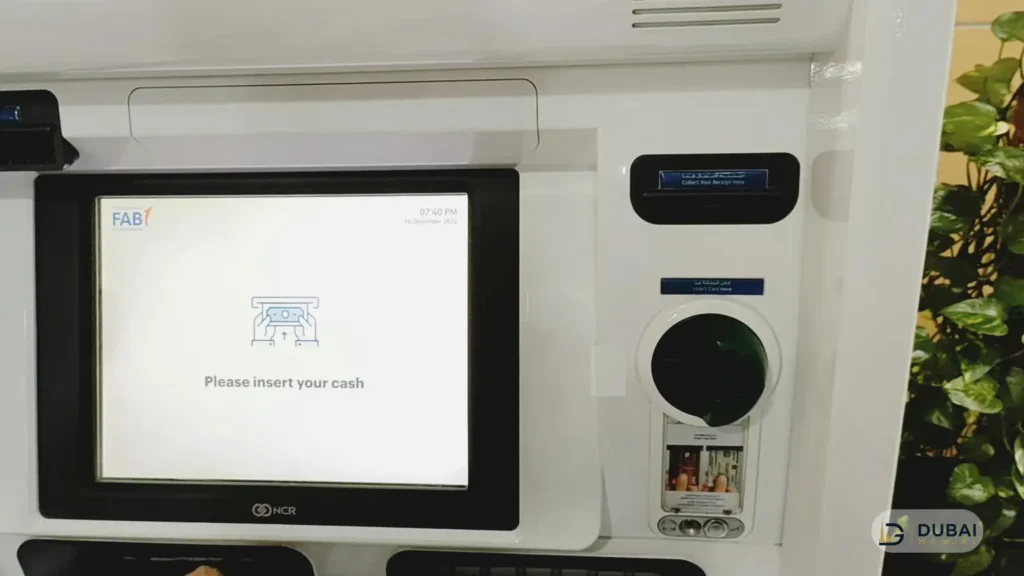
Any FAB ATM shows your balance on screen after you enter your PIN. The steps are the same for an old NBAD debit card, a FAB debit card and a Ratibi card:
- Insert the card.
- Enter your 4-digit PIN.
- Select Balance Inquiry.
- Choose the on-screen balance or a printed mini statement.
The mini statement prints your recent transactions on paper.
Phone banking & branch visits
Phone banking works by calling 600 52 5500 within the UAE or +971 2 681 1511 from abroad. Follow the voice menu, verify your identity and the balance is read out. Ratibi cardholders call 600 52 2298 instead.
A branch can confirm a balance and print a statement. Bring your Emirates ID and your card. Branches open Sunday to Thursday, 8:30 AM to 3:00 PM, and mall branches open Saturday to Thursday, 11:00 AM to 7:00 PM. Open the branch & ATM locator to find the closest one.
When a balance check fails
Most failures come from a mismatch between the card type and the method. These are the common ones:
- Old NBAD card: nothing needs changing. NBAD debit cards, accounts and Ratibi cards work on all FAB channels.
- Locked out of FAB Mobile: tap Forgot PIN on the login screen and follow the steps to regain access.
- Lost phone with FAB Mobile installed: call 600 52 5500 straight away.
- Ratibi card kept by an ATM: the receiving bank destroys it, and your employer applies for the replacement, since employers are the contact point between Ratibi cardholders and FAB.
- Card not in FAB Mobile: a Ratibi card belongs on the Magnati portal or in Payit, not in the FAB Mobile app.
Staying safe while checking
Four habits keep your card details safe:
- Enter your PIN only at an ATM and never share it with anyone, including your employer.
- Use the portal address exactly as written above. The genuine portal asks for the last four digits, the Card ID and a captcha, nothing more.
- Report a lost or stolen card at once on 600 52 5500, or 600 52 2298 for Ratibi.
- Send SMS commands only from your registered number and only to 2121.
FAQ
Does an old NBAD card still work?
Yes. NBAD merged into FAB in 2017, and legacy NBAD debit cards, accounts and Ratibi cards work on all FAB channels, with the same balance methods as any FAB card.
Can I check a Ratibi balance by SMS?
No. Ratibi sends only an automatic SMS alert when a salary is credited. For the live balance use the Magnati portal, a FAB ATM or the Ratibi helpline.
What do I need on the Ratibi balance portal?
The last four digits of the card, the Card ID and the captcha. No login is required, and the portal shows your available balance and recent activity.
What is the FAB customer care number?
Call 600 52 5500 within the UAE or +971 2 681 1511 from outside it. Ratibi cardholders have a separate line, 600 52 2298 within the UAE and +971 2 499 6279 from abroad.
Who replaces a Ratibi card that an ATM kept?
Your employer. The bank that received the card destroys it, and the employer applies for a replacement through FAB.
Next steps
- Regular account holder: register for FAB Mobile and check balances there, with SMS to 2121 as the backup.
- Ratibi cardholder: bookmark ppc.magnati.com/ppc-inquiry and keep your Card ID handy.
- No smartphone: use a FAB ATM or call 600 52 5500.
- Card kept or lost: call the matching helpline and, for Ratibi, tell your employer the same day.