
FAB Balance Check Online: Account, Ratibi & Prepaid Card
Which FAB balance check works depends on what you hold. Bank account and debit card holders see their balance in FAB Mobile or FAB Online Banking, while Ratibi and other prepaid cards use the Magnati prepaid card enquiry portal or the Payit app. Both groups also have offline options: an ATM, SMS banking for registered accounts, and the 24/7 contact centre.
Cards and logins that still carry the old NBAD name belong to FAB, so every step below applies to them unchanged.
FAB balance check summary
| Method | Works for | What you need | Internet needed |
|---|---|---|---|
| FAB Mobile | Bank accounts, debit and credit cards | Customer Number or card number to register, then PIN or biometrics | Yes |
| FAB Online Banking | Bank accounts | Online Banking username and password | Yes |
| Magnati enquiry portal | Ratibi and eligible prepaid cards | Last 4 card digits, Card ID, captcha | Yes |
| Payit app | Ratibi cards | Ratibi card and Emirates ID | Yes |
| SMS banking | Accounts registered for SMS | Registered mobile number | No |
| ATM | Every FAB card | Card and 4-digit PIN | No |
| Phone | Every FAB card | Identity verification | No |
Ratibi card or bank account?
A Ratibi card is a prepaid salary card for employees earning up to AED 5,000 a month who don’t have a bank account. The employer orders it through a corporate account with FAB, and the salary arrives on the card under the Wages Protection System.
If you hold a Customer Number or a FAB debit card linked to an account, you have a bank account and the FAB Mobile and Online Banking methods apply to you. If the salary card is your only FAB product, skip to the Magnati portal or Payit.
Check your balance in FAB Mobile
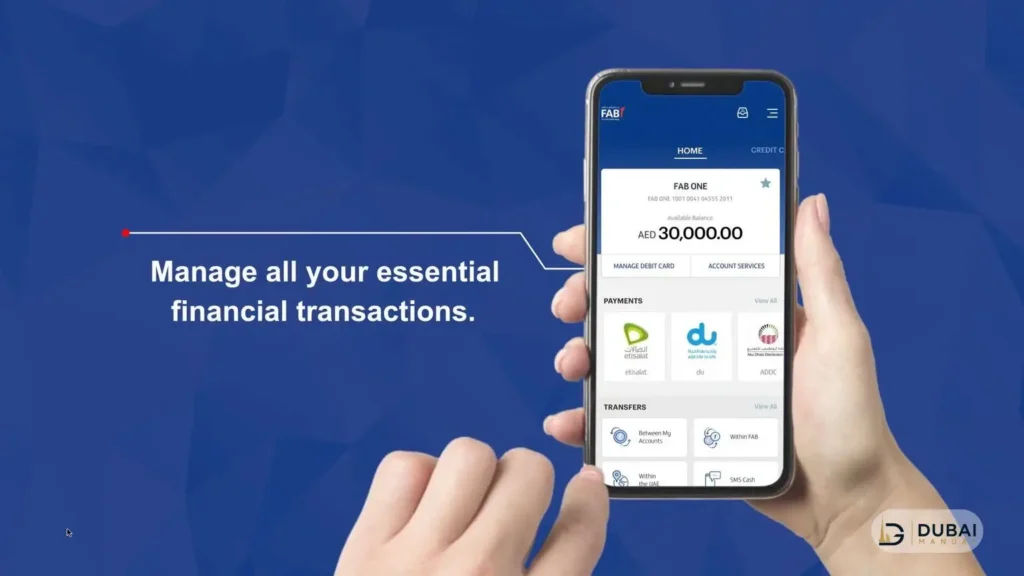
FAB Mobile shows your balances on the home screen once you have registered and logged in. The app runs on iPhone and Android, and the registration steps are the same on both.
- Download FAB Mobile from the Apple App Store, Google Play Store or Huawei AppGallery.
- Register with your Customer Number (sent to your registered email address) or your debit or credit card number.
- Verify your identity with your Emirates ID and a video selfie.
- Log in with your PIN or biometrics.
- Open the home screen to see your accounts and cards with their balances.
The app is free to download and registers on up to three devices.
Check your balance in FAB Online Banking
Open the FAB Personal Online Banking login in any desktop or phone browser and sign in with your username and password. Your accounts and their balances appear once you are in.
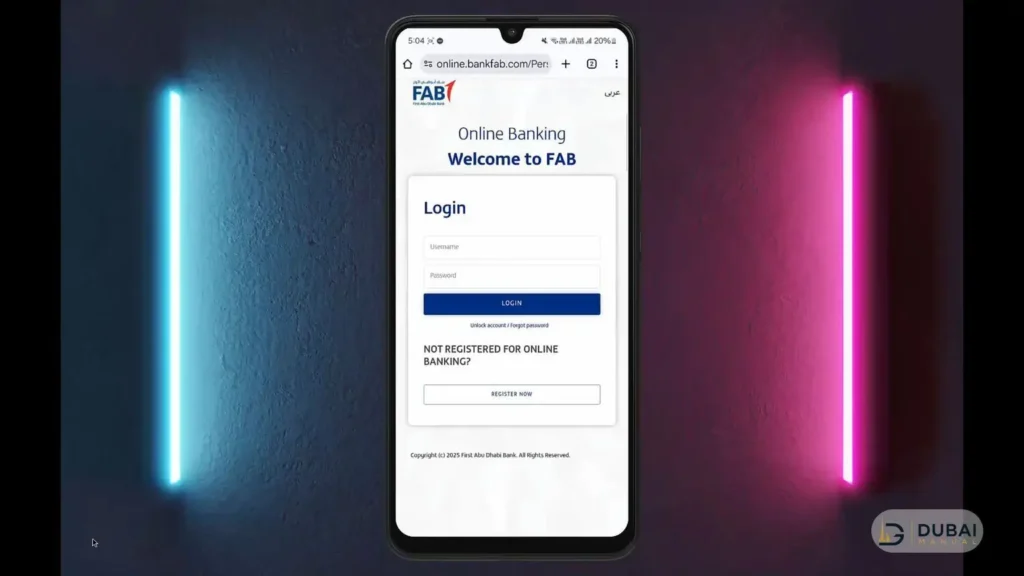
Online Banking suits anyone who prefers a full screen for statements and transfers. Payments and transfers made there need approval in FAB Mobile, so register the app first even if you plan to use the website day to day.
Check a Ratibi or prepaid card balance online
The Magnati prepaid card enquiry portal is FAB’s own balance check for Ratibi cards, and it works without a login. Type ppc.magnati.com/ppc-inquiry into your browser and follow these steps:
- Enter the last 4 digits of the card number. The portal asks for these 4 digits, not the full 16-digit number.
- Enter the Card ID printed on the card.
- Type the captcha exactly as shown.
- Submit the form to see the available balance on screen.
The portal only recognises eligible prepaid cards, so a regular debit card or a credit card will not return a balance there. Use FAB Mobile or Online Banking for those.
Check a Ratibi balance in the Payit app
Payit is FAB’s digital wallet app, and Ratibi cardholders can link their card to it to see the balance in real time. It is the right choice when you want the balance on your phone without opening a browser each month.
- Download the Payit app on iPhone or Android.
- Choose to sign up with your Ratibi card.
- Scan your Emirates ID so the app can confirm the card is active.
- Open the app to see the live balance on the card.
SMS, ATM & phone banking
These three work without internet, which makes them the fallback when the app, the website and the portal are all out of reach.
SMS banking
SMS banking replies only to a mobile number registered with FAB. Send BAL followed by the last 4 digits of the account number, for example BAL 1234, to 2121. For a credit card, send CBAL plus the last 4 digits of the card.
Ratibi cards have no on-demand SMS balance code. FAB sends a free SMS alert every time a salary credit arrives, which tells you the salary has landed but not the full balance.
ATM
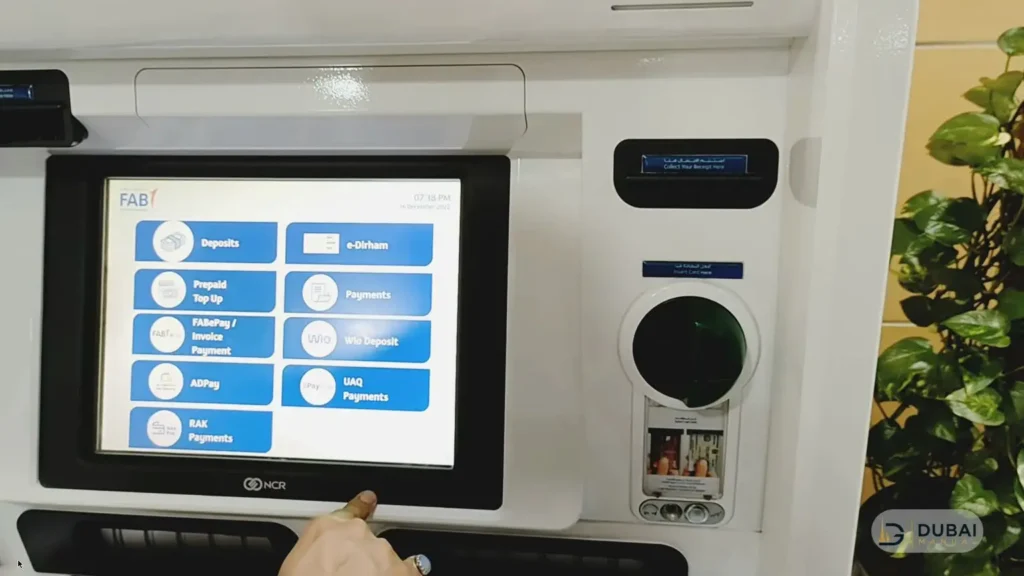
Insert the card, enter the 4-digit PIN and choose Balance Inquiry. Ratibi cardholders get free 24/7 access to FAB’s ATM and cash deposit machine network, and they can choose their own PIN at a FAB ATM.
Phone banking
The FAB contact centre answers 24/7 on 600 52 5500 within the UAE and +971 2 681 1511 from abroad. Ratibi cardholders have a dedicated line: 600 52 2298 within the UAE and +971 2 499 6279 from abroad. Pass the identity checks and ask for your balance.
Fix common balance check problems
- The Magnati portal rejects your details. Re-enter only the last 4 digits of the card, copy the Card ID from the card itself, and retype the captcha.
- FAB Mobile won’t let you in. Tap Forgot PIN on the login screen to regain access. If the screen shows a system maintenance message, update the app or try again later.
- SMS banking gets no reply. The number you text from must be the one registered with FAB. Update a changed number in FAB Mobile under Edit Profile, then Personal Details.
- A Ratibi card is missing from FAB Mobile. Check it through the Magnati portal or Payit instead.
- Your phone is lost or stolen. Call 600 52 5500 straight away so access can be blocked.
FAQ
Can I check my FAB balance online without the app?
Yes. Account holders can use FAB Online Banking in a browser, and Ratibi or prepaid cardholders can use the Magnati prepaid card enquiry portal. Neither needs the mobile app.
How do I check my Ratibi balance online?
Open the Magnati prepaid card enquiry portal, enter the last 4 digits of the card and the Card ID, complete the captcha and submit. You can also link the card in the Payit app to see the balance in real time.
Is there an SMS code to check a Ratibi balance?
No. Ratibi cards send an automatic SMS alert on every salary credit but have no command for an on-demand balance. Use the portal, Payit or an ATM instead.
Does an NBAD card use the same steps?
Yes. NBAD-branded cards and logins work under FAB, and every method on this page applies to them.
What number do I call about a Ratibi card?
Call 600 52 2298 within the UAE or +971 2 499 6279 from abroad. The general FAB line, 600 52 5500, covers bank accounts and debit or credit cards.
Which method to use first
- Bank account holders: register for FAB Mobile, since it also approves Online Banking payments.
- Ratibi cardholders: use the Magnati portal for a quick check and link the card in Payit for a live balance.
- No internet or data: use an ATM with the card and PIN, or send
BALplus the last 4 digits to 2121 if the account is registered for SMS. - Locked out or stuck: call 600 52 5500, or 600 52 2298 for a Ratibi card.



One Comment
Comments are closed.